TPG bitometer
TPG bitometer (aka TPG usage meter) is an internet usage meter which allows customers of TPG Internet to check, monitor and keep a history of their quota usage based on data provided by TPG. TPGbitometer can also be used to check the TPG e-mail inbox.
It is available for download, free of charge.
TPG bitometer includes the following features:
- Compatible with 32bit and 64bit Windows.
- No installation, single file download, nothing written to the registry.
- Support for multiple TPG accounts.
- Display basic information about the plan user signed up to.
- Display number of days remaining until quota resets.
- Display remaining peak/off-peak quota as a percentage and in megabytes.
- Display used peak/off-peak quota as a percentage and in megabytes.
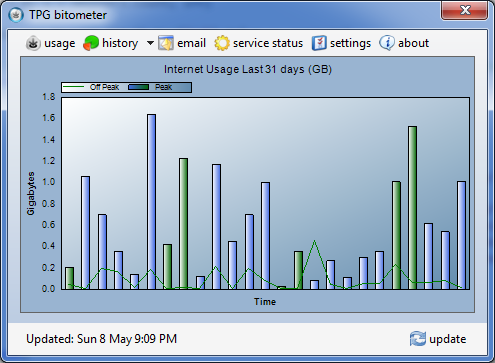
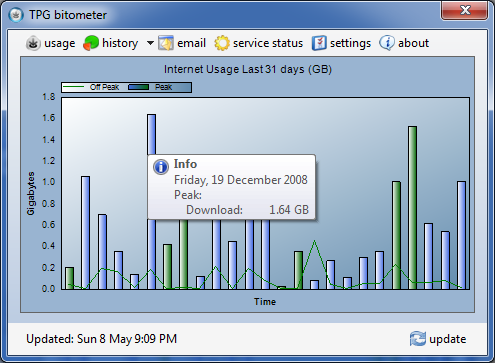
- Display and keep a history of download usage in days, months and years.
- Display remaining daily peak/off-peak quota for the current month.
- Display the current service status reported by TPG.
- Display remaining days, peak and off-peak usage in the system tray.
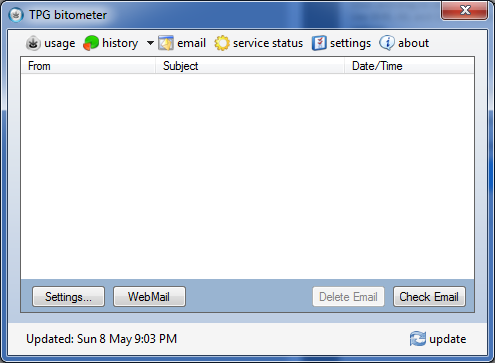
- Ability to check if there is any email in the TPG inbox.
- Ability to delete emails.
- Ability to view email messages within the program.
- Ability to run the program at start-up and delay the usage update.
- Ability to check for program updates.
- Change colour of the system tray icon.




Download TPG bitometer v1.2.4 (350kb)
Release notes :
** v1.2.4 ** (03/08/2019)
– Recompiled using .Net Framework 4.7.2.
– Ensure application continues to work after a recent TPG site update.
** v1.2.3 ** (16/01/2012)
– Fixed bug which prevented some users from shutting down the PC when the application was running.
** v1.2.2 ** (28/12/2011)
– Fixed bug which prevented data retrieval for certain plans.
– Fixed bug which hid the email content window behind the main application for some users.
** v1.2.1 ** (09/10/2011)
– Updated program to reflect changes made on the TPG web site.
** v1.2.0 ** (08/05/2011)
– Fixed bug introduced in v1.1.9.
** v1.1.9 ** (08/05/2011)
– Added support for plans with counted uploads.
– Added icon for colour picker under Settings tab.
– Show some information for ‘Unlimited’ plans.
– Removed ‘Mini View’ as it is redundant.
– Removed the minimize and hide buttons.
– Pressing the ‘X’ button will hide the application.
– Added a single-click to show the application next to the notification area.
– Application is no longer shown in the taskbar.
** v1.1.8 ** (23/04/2011)
– Retrieve data using a single HTTP session.
– Display usage window when mouse cursor hovers over the notification icon.
** v1.1.7 ** (22/11/2010)
– Fixed crash on StartUp related to History type.
** v1.1.6 ** (21/11/2010)
– Support for multiple TPG accounts.
– Display the date and time the usage was last updated on the TPG web site.
– Display a message instead of an error for plans which are no longer monitored by TPG.
– Additional tables to compliment graphs.
– A Mini Form to show less information.
– A different colour for weekdays in tables and graphs.
– A new graphical user interface.
– The interface now renders correctly under different DPI.
– Enable/Disable the Settings->Apply button based on setting changes.
– Increased the application icon resolution.
– New PayPal icon.
** v1.1.5 ** (09/05/2010)
– Updated program to reflect changes made on the TPG usage and status page.
– Increased font of status message.
– Added support for the unlimited plan.
** v1.1.4 ** (08/02/2010)
– Updated service status page.
– Reworded some error messages.
** v1.1.3 ** (18/11/2009)
– Updated program to reflect minor changes made on the TPG usage page.
** v1.1.2 ** (22/09/2009)
– Fixed a bug introduced in v1.1.1 related to checking for program updates on program start-up when an internet connection is not established.
** v1.1.1 ** (22/09/2009)
– Updated program to reflect minor changes made on the TPG usage page.
– Updated donate button link.
– Updated status function to also check Mobile status.
– Added feature to check for program updates during program start-up.
– Changed default system tray text colour from WhiteSmoke to GreenYellow.
** v1.1.0 ** (21/08/2009)
– Fixed a bug introduced in v1.0.9 where all users were treated as having peak and off-peak times.
** v1.0.9 ** (21/08/2009)
– Updated program to reflect changes made on the TPG VoIP usage page.
** v1.0.8 ** (18/08/2009)
– Updated program to reflect changes made on the TPG web site.
** v1.0.7 ** (19/07/2009)
– Fixed a bug introduced in v1.0.6 which prevented users without off-peak time to
retrieve their usage.
** v1.0.6 ** (17/07/2009)
– Fixed a bug where negative days were sometimes shown due to late TPG website updates.
– Fixed some unexpected exceptions caused by broken TPG usage pages.
– Added extra status messages.
– Added feature to show usage as ‘remaining usage’ or ‘used usage’ for the monthly period.
** v1.0.5 ** (03/07/2009)
– Fixed a bug where incorrect remaining daily peak/off-peak quota was shown when
there was less than 1 day remaining.
– Added a new graph that shows monthly billing period download usage.
– Added feature to show quota in megabytes or gigabytes.
** v1.0.4 ** (24/05/2009)
– Added feature to view remaining daily peak/off-peak quota for the current month.
– Fixed a typo in ‘Next month starts’
– Fixed a crash when trying to continuously retrieve email with incorrect details.
** v1.0.3 ** (08/05/2009)
– Fixed a bug where sometimes incorrect remaining days were shown.
** v1.0.2 ** (06/05/2009)
– Added the ability to view email messages within the program.
– Added an additional button to open WebMail.
** v1.0.1 ** (03/05/2009)
– Added separate login data for email.
** v1.0.0 ** (03/05/2009)
– First release to the public.
Tags: bitometer, C#, TPG, TPG usage meter, usage meter, Visual Studio
Hi Stormz,
That message is telling you that the program can’t retrieve the Service Status, i.e. the data on the “status” tab. This is because TPG made some changes to the status page last year. I haven’t had the time to release an update yet but I expect it to be released early Feb.
Note: This will not stop the program from getting the usage data, the really important information :)
could you add an option to swap between minimal and detailed (current) and minimal only showing:
where “X” = number
On Peak:
|==========—| X GB Used/Remaining
Off Peak:
|===————-| X GB Used/Remaining
Days Left:
|========——| X Days
Hi Ed,
I can do that. I have been meaning to update the usage meter with new features but lately I don’t have much time to work on my personal projects.
I’ll keep your request in mind and hopefully release something soon.
TPG bitometer will let you know when a new version is available :)
Donate a few bucks you lazy swine.
Bitometer rocks :)
See you all on Whirlpool: VenGanZa
Hi Beno
Just trying to run your app, but am getting the following error when I click the update button:
Step 10/10. Error retrieving table data. Stopping retrieval.
Do you know what could be causing that error and how to fix?
Thanks
Dave
LOL VenGanZa. I should send you a post card.
Dave, TPG changes their HTML code every few months which affects the usage meter. I have been busy and have not had the time to update it.
I’ll upload a new version in a few hours ;)
Hi beno
Thank you very much for the quick fix for tpg much appreciated
Steve
Hi there, brilliant program, thank you, one question, i have the TPG unlimited business plan, so i have no quotas whatsoever, but it won’t reflect this, keeps showing error retrieving peak downloads used
am i missing a setting i should be entering ?
It’s possible that the TPG usage page recently changed for Unlimited users. I’d need to know what has changed and update the program.
There is a list of things I want to do but simply haven’t had the time :(
Great app, please don’t abandon it! It’s leaps ahead of the competition – the most mature and usable.
Thanks for the positive feedback :)
I have been working on the next version but progress is slow as I don’t have much free time.
Version 1.1.6 has been released.
Have been using TPGBitometer since original release, usefull.
Having problems with 1.1.6, on Win7HomePrem 64Bit.
Multiple icons in tray (20+), fails to load.
I am also having the same problem as Don muliiple icons in the tray i am using XP.
Hi guys,
Version 1.1.7 released. It should fix your problem.
Thanks the new version works a treat
Hi Beno
TPG has recently anounced new plans and the program does not display download data correctly anymore. Is there any plans for the update?
Hey,
Are you saying the old plans are no longer displayed or the new plans are not displayed correctly? In either case, I will need a copy of the HTML page that shows the stats.
Just wondering if TPG has placed in new mechanism for retrieving the data as with bitometer it keeps showing Step 10/10 Error retrieving table data or Incorrect username or password.
I’m having the same problem as Nate’s post on 15/4/11 at 12:57. I’m on an older plan – the Super Fast Heavy/200GB (only downloads count).
Hi guys,
I am on the unlimited plan so I can no longer check what is wrong without seeing the HTML pages. The usage page html code has most likely changed and stopped the app from retrieving data correctly.
Someone will need to upload the html page to rapidshare.com or elsewhere and send me the link. I’ll need the html page of the main usage page and the page with a table that shows the detailed usage.
Hi all,
The problem has been fixed. I am currently away but plan on releasing an update on Saturday.
v1.1.8 has been released. It should fix the problems you guys were encountering.
Let me know if you experience problems.
Hey Beno,
Just tired the latest version and it is working so far perfectly as before. Hopefully TPG doesn’t change anything on their end, nice work on the hovering of icon to see more details.
One of the great usage meter on TPG network for sure.
Great stuff.
Doesn’t seem to count uploads, which TPG count in our usage.
Hi Phill,
At the moment the usage meter does not count uploads because last year when I asked for someone to send me the required information no one did and I never had the chance to implement the feature.
The good news is that I recived the information yesterday and I plan on fixing this up soon.
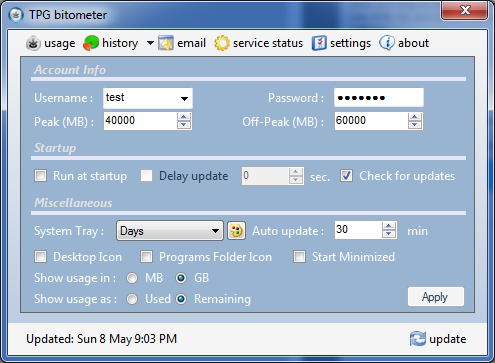
Here’s a trap for young players. When you first launch the app it goes to the settings page (nice!). Type in username and password. Click the update button. Doesn’t work. If this happens to you… don’t forget to hit the Apply button to apply the settings, then it’ll update happily :-)
Nice app Beno, kudos to you.
hi, how do you uninstall TPG bitometer?
cheers
Hi, Nice app, does it do TPG VoIP usage stats?
Cheers
Not at this stage due to other apps offering the feature but I am considering implementing it.
Use v1.2.0, problem “Step 10/10. Error retrieving table data. Stopping retrieval.” persists
What plan are you on and does it happen every single time?
60GB upload not counted. Yes every single time
Can you please email me the html source from https://cyberstore.tpg.com.au/your_account/index.php?function=checkaccountusage and the HTML page with the table that has all download details?
You can upload it to some site and email me the download link.
Just connected and it looks good and will be very useful. Thank you Beno.
However Check Email comes up with “Error connecting to POP3, Incorrect username and/or password”. Any clues?
You will need to enter your email username and password again under the email tab.
Hey Beno,
Just wondering if you could take a look at tpg login again, keeps popping up with step 10 error. Not to sure if tpg has done something on their end or so.
Cheers
Hey just a bug report. TPG has had an issue with daylight savings and has placed other messages within the data usage table. I presume this is causing the parsing error. The errant table data is of the following form:
Package accounting adjustment: download increased by xxxxxxx.xxx kb (duplicate session recorded)
I can send you the full page source if necessary.
After having to reload XP Pro I found that my Bitometer didn’t reload, now when I try to download the program I get the following-unable to find a version of runtime to run this application, as I am not very savvy I am stumped, would you be able to help?
Cheers
Thanks Ryan for providing me with the HTML pages. TPG added some extra information in the middle of the table which stopped it from working. v1.2.1 has been released :)
ron, are you saying you have problems downloading the program or running it after you downloaded it?
If you can’t download it, I am guessing there is something wrong with your browser.
But in order to run the application you need the .Net 2 framework or later from Microsoft.
Wow, this is very cool! The integrated email is such a good idea!
I’ve had an interesting issue though. Sometimes I’ll try to open an email, and the program will take back focus, but the email is hidden behind it. There’s no way to select the email because it’s hidden, and I can’t alt-tab to it or move the program window either.
Managed to get around it by force quitting, but that’s a less than elegant solution. The same also occurred with the email credentials window.
Thought you might like to know, incase you felt bored one day :-P
Thanks again for a very useful tool!
Hi Caleb, I’ve found a workaround until the issue you described is addressed. After the main window takes focus in front of the email window, just right-click on the tray icon and click hide. The main window will close, but the email window will remain open. Just make sure to close the email window once you’re done reading it and before opening the main window again.
v1.2.2 has been released which resolves the problem.